No pop-up appears on the UR Teach Pendant during the calibration
After clicking Start in the calibration process, Pick[+] sends the pre-calibration request to the robot and a pop-up must appear on the UR teach pendant to confirm it. If that pop-up never shows up, the calibration cannot continue.
Pick[+] stays waiting for it, showing Follow the instructions on the robot console, but the confirmation pop-up never reaches the pendant:
![Pick[+] waiting for the confirmation on the robot console](/3.x/assets/3.x/faq_assets/calibration_follow_instructions.png)
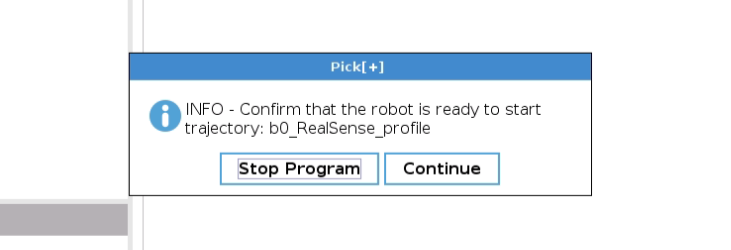
The request is not reaching PolyScope, because the UR controller is blocking the inbound access to its standard interfaces.
Solution
Verify that the inbound access to the standard interfaces is configured correctly in the UR controller:
- On the teach pendant, go to Configuration → Security → Services.
- Ensure that all the options are enabled.
- Go back to Pick[+] and start the calibration again.
Info
This is the same setting the robot needs to receive any command from Pick[+]. If the robot does not respond at all, see Robot disconnected and Universal Robots Configuration.